The Ghost Input Problem: How Stick Drift and Input Lag Are Silently Costing NA Players Ranked Games in 2025
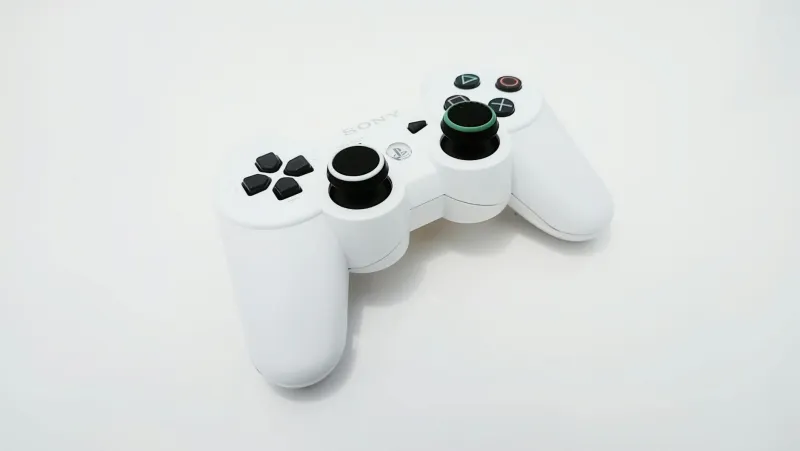
The Ghost Input Problem: How Stick Drift and Input Lag Are Silently Costing NA Players Ranked Games in 2025
You've been grinding free play for weeks. Your flip resets are cleaner, your recoveries are tighter, and you're hitting ceiling shots that would have been impossible six months ago. But somehow, your rank isn't moving. Those crucial aerial adjustments still feel inconsistent. Your boost management seems random. And that perfect air roll you nail in training? It vanishes when you need it most in ranked.
The problem might not be your mechanics at all.
The Invisible Enemy: Hardware Degradation in Competitive Play
While the Rocket League community obsesses over camera settings and training packs, a silent killer is lurking in plain sight: hardware degradation. Specifically, analog stick drift and input lag are creating micro-inconsistencies that players mistake for skill plateaus. The result? Thousands of NA players are stuck grinding mechanics when they should be replacing their controllers.
"I went through three Xbox controllers last season," reveals jstn in a recent stream. "People think pros just buy new gear for sponsors, but honestly, when you're playing at this level, even 2-3 degrees of stick drift can cost you games. Your brain learns to compensate, but that compensation breaks down under pressure."
This isn't just a pro problem. Hardware degradation affects every player differently, but the symptoms are universal: inconsistent aerial control, unpredictable boost feathering, and that nagging feeling that your car "doesn't respond the same way" as it did when you first hit your current rank.
The Stick Drift Spectrum: From Subtle to Game-Breaking
Not all stick drift is created equal. The obvious cases — where your car slowly rotates without input — get diagnosed quickly. But subtle drift creates a more insidious problem: inconsistent dead zones that make precise mechanical execution nearly impossible.
Here's what most players don't realize: even "minor" stick drift fundamentally changes how your controller interprets input. That perfect air roll you've been practicing assumes consistent dead zone behavior. When stick drift shifts your baseline, suddenly your muscle memory is fighting against hardware that's giving different output for the same physical input.
Fairy Peak, known for his mechanical precision, maintains a strict hardware rotation schedule specifically to avoid this trap. "I replace my controller every 4-6 months, not because it's broken, but because I can feel the difference in precision. Most players adapt to their hardware degrading slowly, but that adaptation becomes a mechanical handicap."
Input Lag: The Platform Problem You're Probably Ignoring
While stick drift gets attention, input lag flies under the radar. Yet for competitive players, platform-level input lag can be just as damaging to consistency. The difference between 16ms and 32ms of input lag might seem negligible, but in a game where aerial duels are won by milliseconds, that delay compounds into missed opportunities.
Console players face additional challenges. Xbox Series X and PS5 have different input processing chains, and even game mode settings on your TV can introduce lag that makes precise mechanical execution inconsistent. G2's players have been vocal about their setup optimization, with several team members switching to dedicated gaming monitors specifically to eliminate display lag variables.
The Diagnostic Checklist: Hardware vs. Mechanics
Before you spend another evening in free play, run through this diagnostic sequence that several NA pros use to identify hardware problems:
Test 1: The Deadzone Audit
Go to your deadzone settings and slowly lower them until you notice unwanted movement. If you can't get below 0.15 without drift, your controller is already compromising your precision.
Test 2: The Consistency Check
Pick one specific aerial maneuver — something like a basic air roll shot. Attempt it 20 times in free play, focusing not on success rate but on how consistent the input feels. Hardware problems create "good days" and "bad days" that have nothing to do with your actual skill level.
Test 3: The Pressure Test
Play three ranked games, then immediately jump into free play and repeat the same mechanical sequence. If your execution feels notably different after the stress of ranked play, you might be unconsciously compensating for hardware inconsistencies that break down under pressure.
Test 4: The Platform Lag Assessment
Use your platform's input lag testing tools (or a high-speed camera if you're serious) to measure your actual input-to-screen delay. Anything over 40ms total should be addressed before you blame mechanics for inconsistent performance.
The Pro Approach: Hardware as a Performance Variable
Top RLCS players treat hardware refresh as seriously as they treat mechanical practice. Arsenal recently mentioned replacing his entire setup mid-season after noticing inconsistent boost feathering during scrimmages. "It wasn't broken," he explained, "but it wasn't giving me the precision I needed for the plays I was trying to make."
This approach isn't about having the newest gear — it's about maintaining consistent hardware baselines that allow muscle memory to function properly. When your controller's response curve changes gradually over months of use, your brain adapts, but that adaptation often caps your mechanical ceiling.
The Real Cost of Ignoring Hardware Health
Here's the brutal reality: if hardware degradation is limiting your mechanical consistency, no amount of training pack grinding will fix the problem. You're essentially practicing on unstable ground, building muscle memory that only works with your specific hardware's current degradation pattern.
Worse, hardware problems compound over time. Stick drift forces you to adjust dead zones, which changes your effective sensitivity, which impacts your aerial control, which makes you overcorrect in other areas. Soon, you're playing a completely different game than the one your muscle memory was trained for.
Moving Forward: The Hardware Maintenance Mindset
The solution isn't to replace your controller every month. Instead, develop awareness of how hardware changes affect your play:
- Track your hardware: Note when you bought your controller and monitor how it feels over time
- Establish baselines: Test the same mechanical sequences regularly to catch degradation early
- Separate variables: When your consistency drops, test hardware first before assuming it's a mechanics problem
- Plan for replacement: Budget for controller replacement as part of your competitive setup, not as an emergency expense
Remember: every hour you spend in free play with degraded hardware is building muscle memory for equipment that's actively working against your improvement. Sometimes the fastest path to the next rank isn't more practice — it's better hardware.
The ghost inputs are real, and they're costing you games. The question is: are you going to keep fighting them, or are you going to eliminate them?