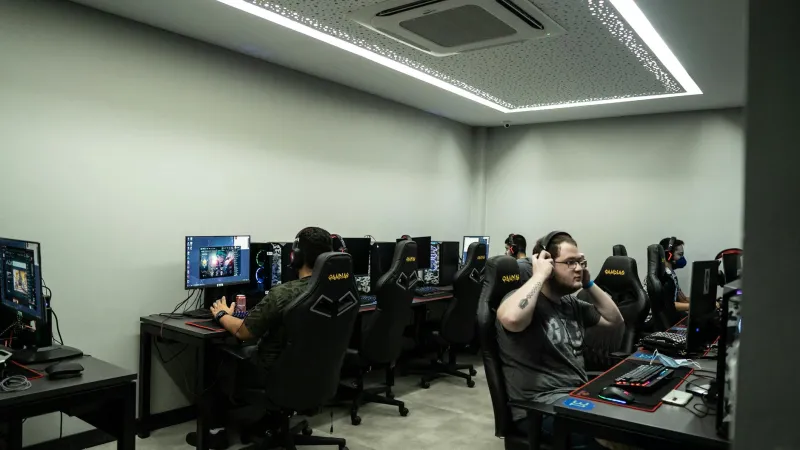
Walk into any RLCS 2025 player booth and you'll notice something immediately: the monitors look surprisingly ordinary. No massive 4K displays, no curved ultrawide screens, no HDR showcase setups that would make a content creator jealous. Instead, you'll find row after row of 1080p displays running at 240Hz or higher, deliberately chosen for performance over visual spectacle.
This isn't a budget constraint or tournament limitation—it's a calculated competitive decision that reveals something fundamental about how visual information processing works in high-speed Rocket League scenarios. The trade-off between resolution and refresh rate isn't just technical preference; it's the difference between seeing a 50/50 challenge coming and getting dunked on by a play you never saw developing.
Understanding why the world's best players prioritize frames over pixels—and what that choice actually does to your ability to read the game—is crucial for any player serious about climbing ranked ladders or competing at higher levels.
The Frame Rate Advantage: What 240Hz Actually Does to Your Brain
The difference between 60Hz and 240Hz isn't just about smoother motion—it's about information density. At 60Hz, your monitor updates the image 60 times per second, creating gaps between frames that last approximately 16.7 milliseconds. During a fast aerial duel, the ball and cars can travel significant distances in those gaps, creating a stuttering effect that forces your brain to interpolate missing information.
240Hz reduces those gaps to just 4.2 milliseconds, providing nearly four times the visual information about object movement and positioning. This doesn't just make the game look smoother; it fundamentally changes how quickly and accurately you can process developing plays.
RLCS players like Jstn and GarrettG have publicly discussed how higher refresh rates improve their ability to read wall bounces, predict 50/50 outcomes, and track multiple players during chaotic scrambles. The additional visual data helps their brains build more accurate mental models of object physics and positioning, leading to better decision-making under pressure.
Input Lag: The Hidden Performance Killer
Beyond refresh rate, the choice of 1080p over 4K eliminates a significant source of input lag that many players don't realize exists. Higher resolution displays require more processing time to render each frame, creating a delay between your controller input and the visual response on screen.
This delay typically ranges from 15-40 milliseconds depending on your graphics card and display combination. For context, that's longer than the window for executing a perfect flip reset or making a crucial save on a redirect. RLCS pros eliminate this variable entirely by choosing displays that prioritize response time over visual fidelity.
The input lag advantage becomes most apparent during defensive scenarios. When Ayyjayy makes a spectacular aerial save that seems impossible, part of that success comes from seeing the shot develop 20-30 milliseconds earlier than players using higher-resolution displays. Those milliseconds translate directly into better positioning and more successful defensive reads.
Pixel Response Time: Why Motion Clarity Beats Image Sharpness
The technical specification that matters most for competitive Rocket League is pixel response time—how quickly individual pixels can change from one color to another. Higher resolution displays typically have slower pixel response times, creating motion blur during fast camera movements and aerial sequences.
This motion blur doesn't just affect visual quality; it reduces your ability to track multiple objects simultaneously during complex plays. When Arsenal is reading a triple commit while maintaining ball control, crystal-clear motion tracking gives him the visual information needed to identify escape routes and counter-attack opportunities.
1080p displays with optimized pixel response times (1-3ms) maintain sharp object definition even during rapid camera movements, allowing players to track ball position, opponent locations, and boost pad availability simultaneously without visual confusion.
The Resolution Sweet Spot: Why 1440p Isn't the Compromise You Think
Many players assume 1440p represents the perfect middle ground between visual quality and performance, but the reality is more complex. While 1440p provides better image quality than 1080p, it introduces enough additional input lag and processing demands to affect competitive performance without delivering the visual clarity benefits of true 4K.
The frame rate requirements for smooth 1440p gameplay often force players to reduce graphics settings that actually matter for competitive play—like particle effects, lighting quality, and anti-aliasing. These settings affect your ability to read boost trails, ball touches, and environmental cues that inform tactical decisions.
RLCS pros avoid this compromise entirely by maximizing frame rate at 1080p while maintaining high graphics settings for the visual elements that provide competitive information. This approach prioritizes game-reading ability over screenshot quality.
Monitor Buying Guide: Matching Displays to Competitive Goals
Entry Competitive ($200-400): Target: 1080p, 144Hz, 1-3ms response time Recommended specs: IPS or TN panel, VESA mount compatibility, minimal input lag Best for: Diamond to Champion players transitioning from console or basic displays
Serious Ranked ($400-600): Target: 1080p, 240Hz, <1ms response time Recommended specs: High refresh rate support, variable refresh rate (G-Sync/FreeSync), tournament-grade build quality Best for: Champion to Grand Champion players focused on ranked climbing
Elite/Semi-Pro ($600-1000): Target: 1080p, 360Hz, professional-grade response time Recommended specs: Tournament-standard displays, minimal bezel, professional calibration options Best for: Grand Champion to SSL players, aspiring professionals, tournament competitors
The Graphics Settings Stack That Actually Matters
Choosing the right monitor is only half the equation. RLCS players pair their display choices with specific graphics configurations that maximize competitive advantage:
Essential High Settings:
- Particle quality: High (for boost trail visibility)
- Effects quality: High (for ball touch indicators)
- Post-processing: Medium (for depth perception)
Strategic Low Settings:
- Anti-aliasing: Off or low (reduces input lag)
- Motion blur: Disabled (maintains object tracking)
- V-Sync: Disabled (eliminates frame pacing issues)
This configuration prioritizes visual information that affects gameplay decisions while eliminating processing overhead that creates input delay.
Why Console Players Are Fighting an Uphill Battle
The monitor advantage extends beyond PC players. Console players using TVs or basic monitors face significant disadvantages that affect their competitive ceiling. Most TVs introduce 30-100ms of input lag through image processing, while console frame rate limitations create additional visual information gaps.
Console players serious about competitive improvement should prioritize monitor upgrades over controller or audio equipment. The visual advantage from a proper gaming display often provides more immediate rank improvement than mechanical or tactical training.
The Future of Competitive Displays
As RLCS continues evolving, monitor technology is pushing toward even higher refresh rates (480Hz displays are already in development) and lower input lag solutions. However, the fundamental principle remains constant: competitive players prioritize visual information density and response time over image quality.
The choice between pixels and frames isn't really a choice at all for serious competitive players. When milliseconds determine the outcome of aerial duels and defensive saves, the visual clarity and response time advantages of high-refresh-rate 1080p displays provide measurable competitive benefits that no amount of additional pixels can match.
Your monitor is the window through which you see and react to the game. RLCS champions have proven that making that window as fast and responsive as possible matters more than making it beautiful. The question isn't whether you can afford to upgrade your display—it's whether you can afford not to.